 Pantry Raider
Runs on open hardware
Use a server you already own, or build a dedicated kitchen appliance from parts. Nothing is proprietary and nothing phones home.
Your box, or a Pi
One app, many homes
Pantry Raider runs as Docker containers, so it lives happily on a NAS, a mini PC, or a Raspberry Pi. Attach a touchscreen and a Stream Deck and the one-command installer configures a kitchen kiosk for you, or run it headless and open it from any browser.
See the install pathsOn the panel
What a kiosk build puts on screen
Captured from the live demo at 800x480, the resolution of the common Pi touch panels. Click through the same screens at demo.pantryraider.app.
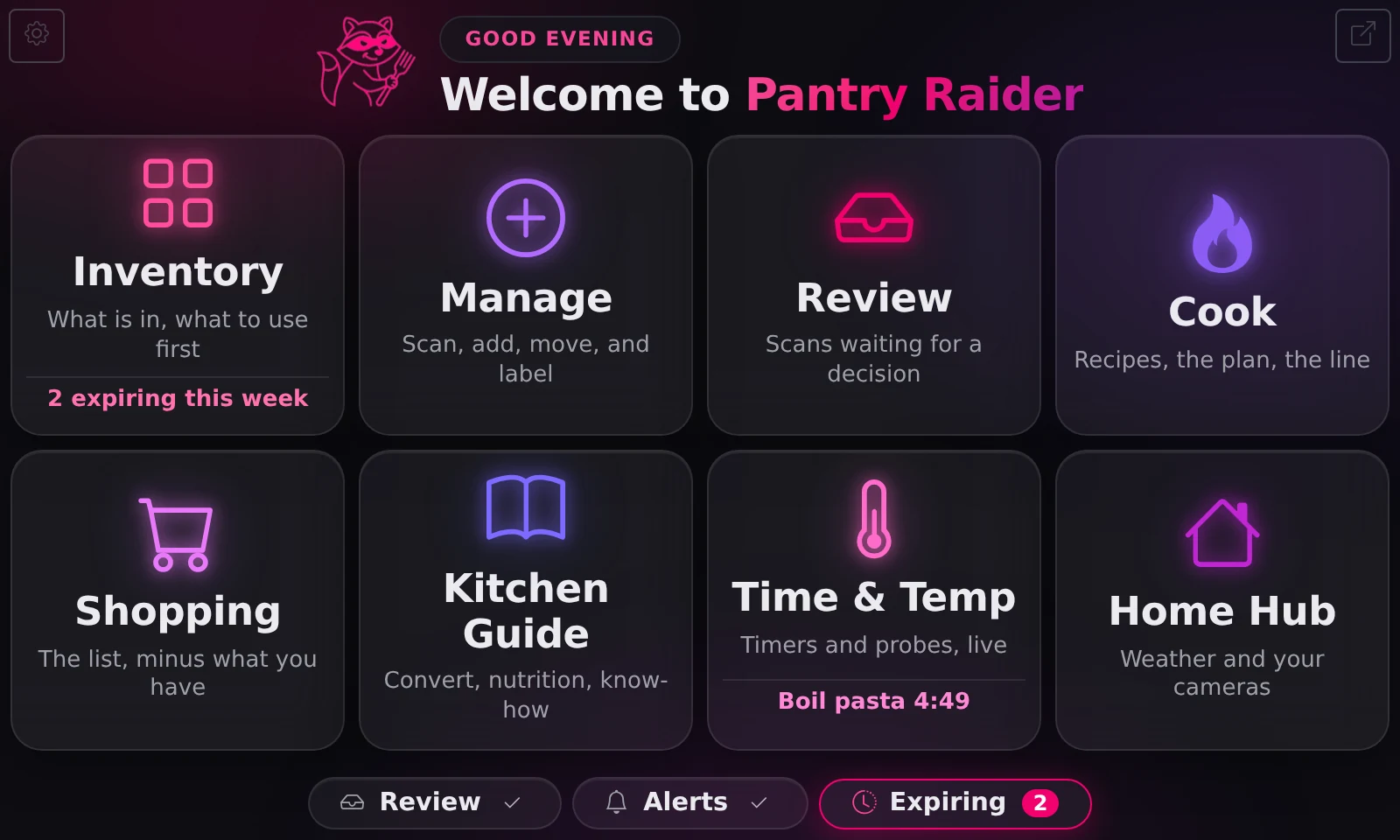
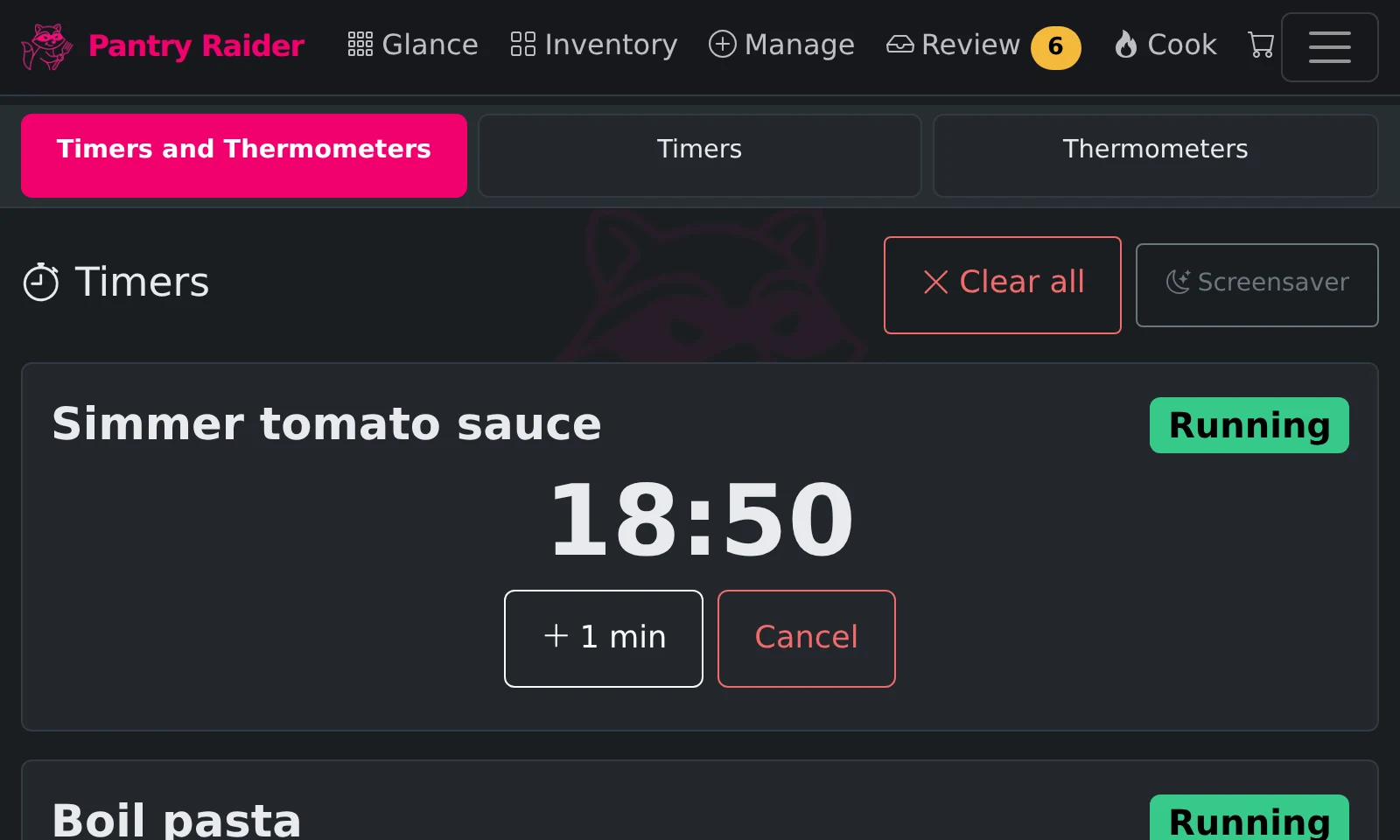
How the fleet fits together
One self-hosted server is the brain; Bandits, Cubs, your phone, and Home Assistant all follow it. Nothing leaves your network unless you add the optional cloud.
🦝 Pantry Raider server
Docker on a NAS or mini PC, or a Raspberry Pi appliance. Holds the inventory, the recipes, and every rule about what each screen shows.
🖥️ Bandit
The kitchen kiosk satellite: touchscreen, Stream Deck, barcode scanner. Pulls its config from the server and stays in step.
🐾 Bandit Cubs
Little ESP32 screens for the counter, the fridge door, or stove-side. They glance-cast what matters: expiring food, timers, probe temps.
📱 Your phone
The full app in any browser. Point the camera at a barcode and it scans, right from the couch or the store.
🏠 Home Assistant
A real integration: live counts and probe sensors, notifications and camera pop-ups on any kitchen screen.
🌡️ Bluetooth thermometers
Meat and grill probes read by the Bandit's radio (or through Home Assistant), alerting the moment the roast is done.
🏷️ Label printer
Best-by labels in your own design, printed from any device — a printer on one screen is shared to all.
☁️ Forager cloud
Strictly optional: remote access from anywhere, community recipes, pooled AI. Your install never depends on it.
Requirements
What it takes to run
Pantry Raider plus Grocy runs comfortably in 2 GB. Adding Mealie pushes the practical floor to 4 GB. Fully local AI with Ollama wants 16 GB or more; on small boards, use a cloud AI provider instead.
| Resource | Minimum | Recommended |
|---|---|---|
| Architecture | ARM64 or x86-64 | |
| RAM | 2 GB | 4 GB |
| Storage | 16 GB | 32 GB or more; on a Pi, a high-endurance microSD card |
| OS | 64-bit Linux with Docker and Compose v2 | Raspberry Pi OS Lite, Debian, or Ubuntu Server |
| Network | Ethernet or Wi-Fi | Ethernet for an always-on box |
Tested boards
Known-good hardware
| Board | Status | Notes |
|---|---|---|
| Raspberry Pi 5 (4 or 8 GB) | Supported | Recommended, with DSI touch display support |
| Raspberry Pi 4B (4 or 8 GB) | Supported | Solid for the full stack |
| Raspberry Pi 4B (2 GB) | Limited | Pantry Raider plus Grocy only; Mealie may be tight |
| x86-64 mini PC (N100 class, 8 GB+) | Supported | Runs everything, best choice for local Ollama AI |
| Raspberry Pi 3B+ (1 GB) | Satellite only | Too small for the full stack, but works as a thin kiosk remote driving a display or Stream Deck for a server elsewhere |
| Raspberry Pi Zero 2 W | Not supported | 512 MB is not enough, even as a satellite |
Build your own
The DIY kitchen appliance
The one-command Raspberry Pi installer turns a stock Pi into a dedicated appliance. It detects an attached touchscreen and Stream Deck and configures a kiosk automatically, or runs as a thin kiosk remote for a server hosted elsewhere. From the first moments after power-on the screen shows the Pantry Raider mark instead of scrolling boot text. A typical build:
| Part | Options |
|---|---|
| Board | Raspberry Pi 5 or 4B, 4 GB or more |
| Touchscreen | Any DSI or HDMI capacitive touch panel (optional, it is a web app you can open from any browser); an ultrawide or tall bar panel like the Waveshare 480x1920 can split into two panes, each showing its own page |
| Barcode scanner | Any USB HID "keyboard wedge" scanner works with zero configuration; a scan-engine module can run hands-free at a fixed kiosk, or — on a full appliance install — wire straight to the Pi's UART pins and stay dark until a scan page opens |
| Control surface | Elgato Stream Deck (6, 15, or 32 keys) or embedded Stream Deck Module, driven over plain USB with no Elgato software |
| Counter keys | Adafruit NeoKey 1x4 (STEMMA QT, one cable): four lit keys that switch what a barcode scan does, open app pages, or run timers, with the active mode lit in its own color; while a timer runs the pad becomes a countdown bar that flashes when time is up |
| Thermometer | Optional Bluetooth meat or probe thermometer (Inkbird, ThermoPro, Govee, Combustion, ThermoWorks BlueDOT), read on the appliance or through Home Assistant |
| Presence sensor | Optional HLK-LD2410C mmWave module (about $5, three jumper wires) so the screen and Stream Deck wake as you walk up |
| Fridge & door sensors | Bluetooth hygrometers (Govee H5075, SwitchBot Meter, ATC-flashed Xiaomi) and Shelly BLU Door contacts for left-open fridge and freezer alarms, with grace periods so a normal rummage never alerts |
| Shelf buttons | Shelly BLU Button1 (about $10): a single, double, or long press adds a product to the shopping list or runs an action you choose |
| Label printer | SUPVAN T50M-family Bluetooth label printers set up right from Settings, or any driverless IPP network printer, with Zebra ZPL supported; labels print on rectangular, square, or round stock, and inventory labels carry a scan-to-use-up code |
| Companion displays | Bandit Cubs: small ESP32 screens (LilyGo T-Display and T-Display S3, Waveshare ESP32-S3 Touch) for the counter or fridge door, flashed from the browser, showing expiring items, timers, and probe temps |
| DIY ESP sensors | ESP32 or ESP8266 boards flashed with ESPHome talk to the app directly over WiFi: temperature probes for a fridge, freezer, or room, and physical buttons that start shared timers or fire Home Assistant actions; EspControl touch wall panels (cheap ESP32 screens) hook in through a plain Home Assistant package |
The Stream Deck keys show live counts (items expiring soon, scans waiting to commit) and trigger actions like committing scans, starting timers, or switching scan modes. It can sit next to a touchscreen or be the only interface on a headless box.
Adding a plug-in sensor, a PoE HAT, or a STEMMA QT / Qwiic device? See exactly which header pins each accessory uses and which combinations can share a board.
Skip the build
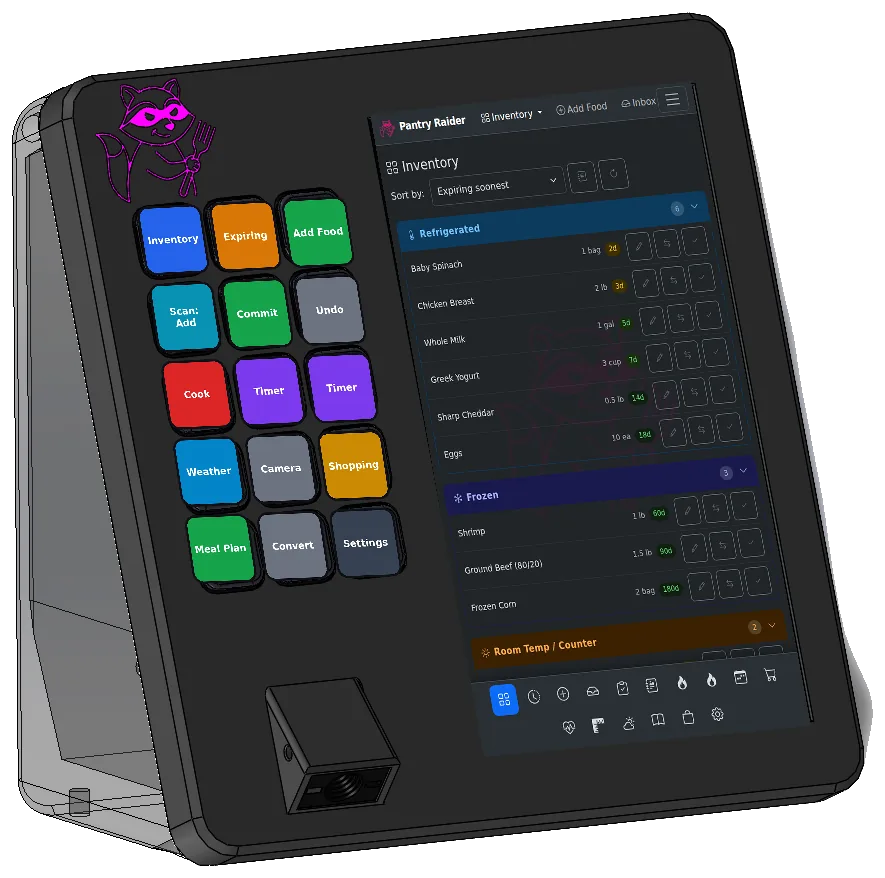
The Bandit appliance
Do not want to assemble it yourself? The Bandit is a purpose-built Pantry Raider appliance in development: Raspberry Pi 4, integrated 1D/2D barcode scanner, a 15-key Stream Deck control pad, and a capacitive touchscreen in a printable enclosure.
Full hardware documentation
The documentation site has the complete, maintained guides: Supported hardware, the SD-card image, the Waveshare barcode scanner, and the wired UART barcode scanner.
Ready to build?
Install on a server or a Raspberry Pi in one command, or wait for the Bandit.