 Pantry Raider
 Self-hosted food tracking
Know your kitchen.
Waste less food.
Snap a photo or scan a barcode, get warned before food expires, and cook from what you already have. Private by default, running on your own hardware.
How it works
The whole idea in 30 seconds, from grocery haul to dinner on the counter.
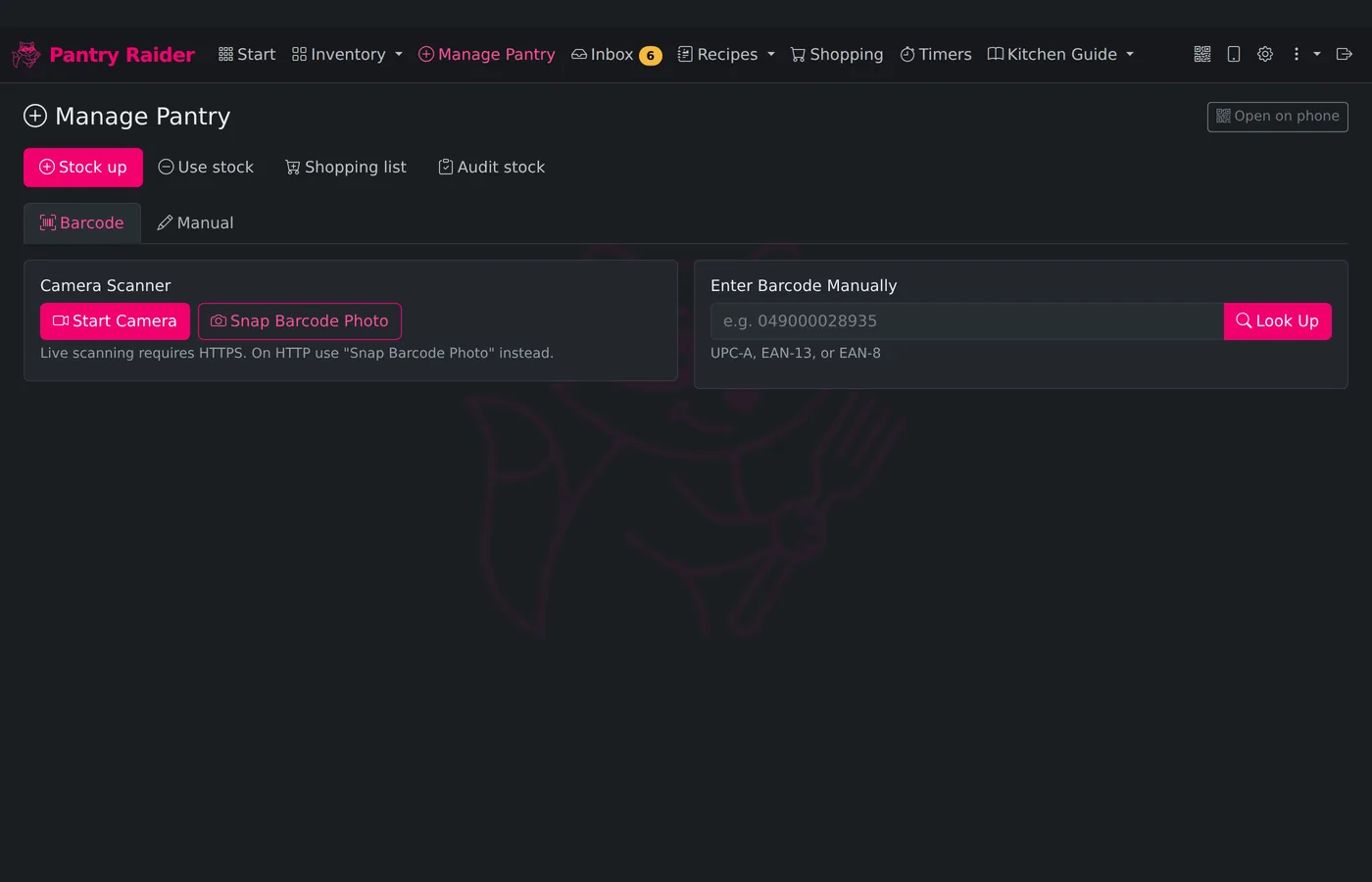
01 / Get it in fast
Snap, scan, done
Photograph a pile of groceries or a receipt and a vision model queues every item for review; a receipt photo can even record the prices you actually paid. Or scan barcodes with a camera, a USB scanner, or manual entry, backed by Open Food Facts with optional AI cleanup.
Try it in the demo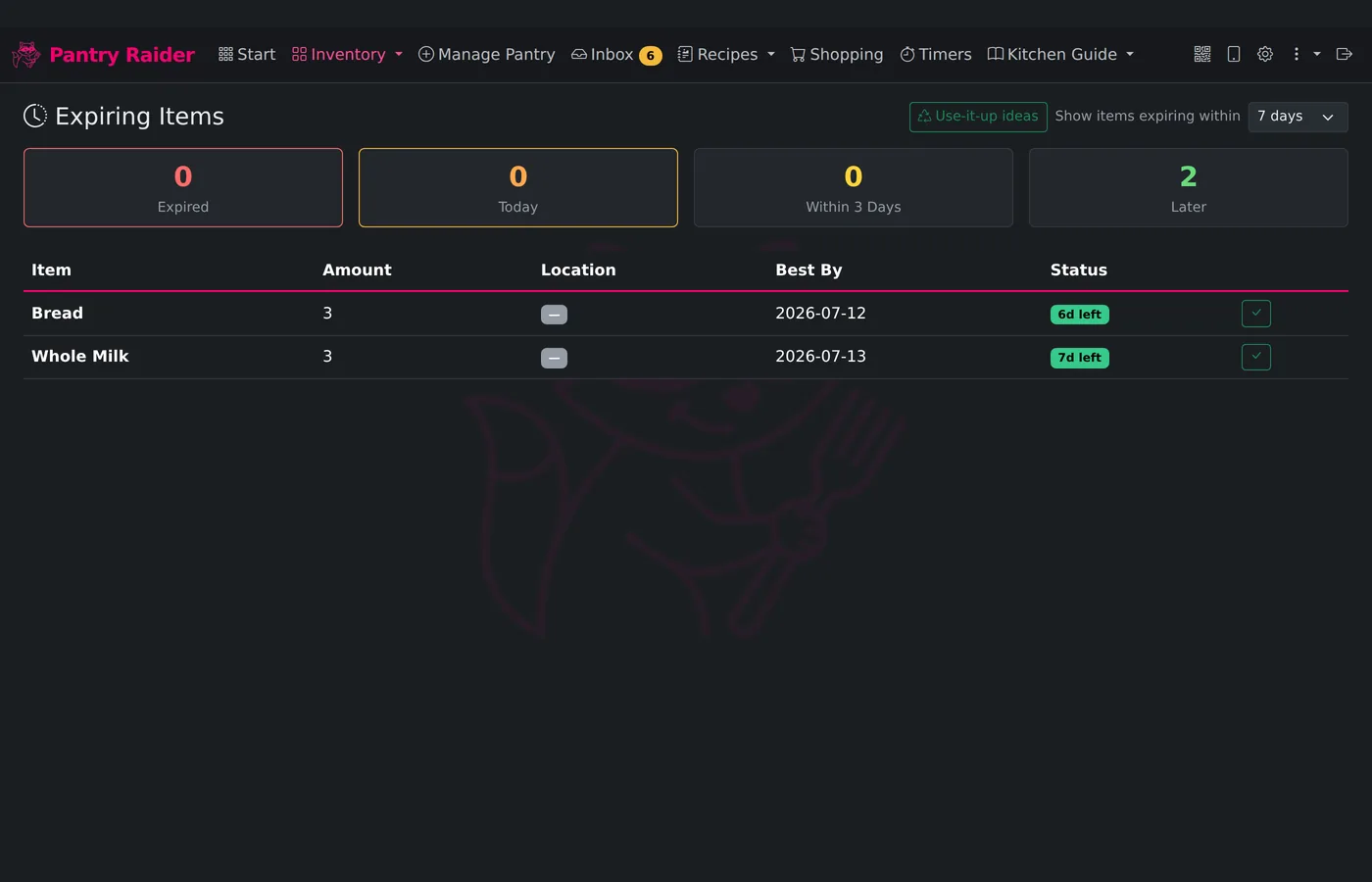
02 / Waste less
Nothing expires unnoticed
Best-by dates fill in automatically from an editable rules table, and an urgency-sorted view surfaces what needs eating first. A sniff test keeps what is plainly still good a few more days, a toss button records what was not, and a waste summary shows which foods keep ending up in the bin.
See expiry tracking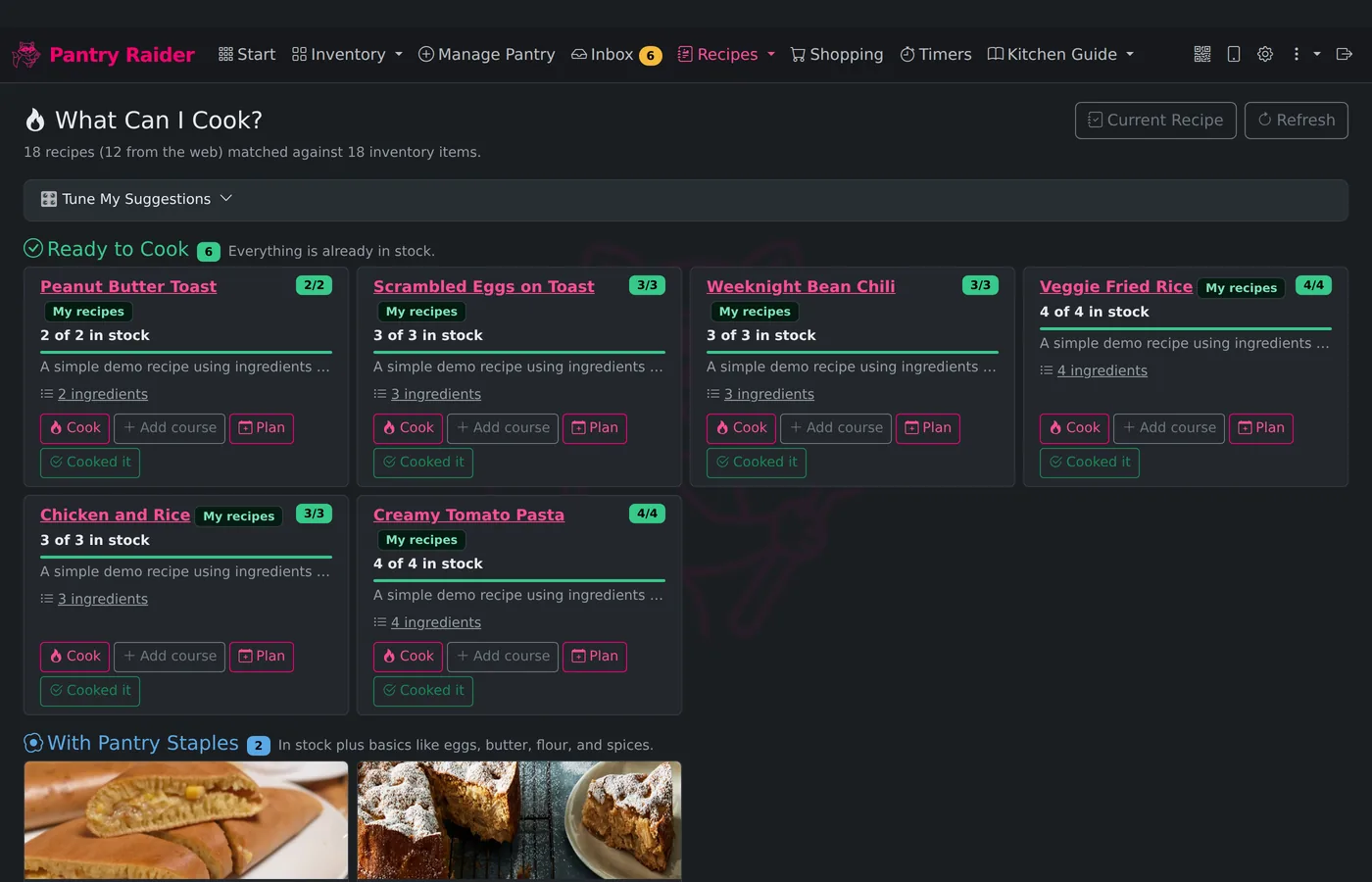
03 / Eat well
Cook from what you have
"What Can I Cook?" ranks your recipe library by how much of each recipe is already in stock, floating soon-to-expire ingredients to the top. Hit Cook and step timers start with one tap.
Browse community recipes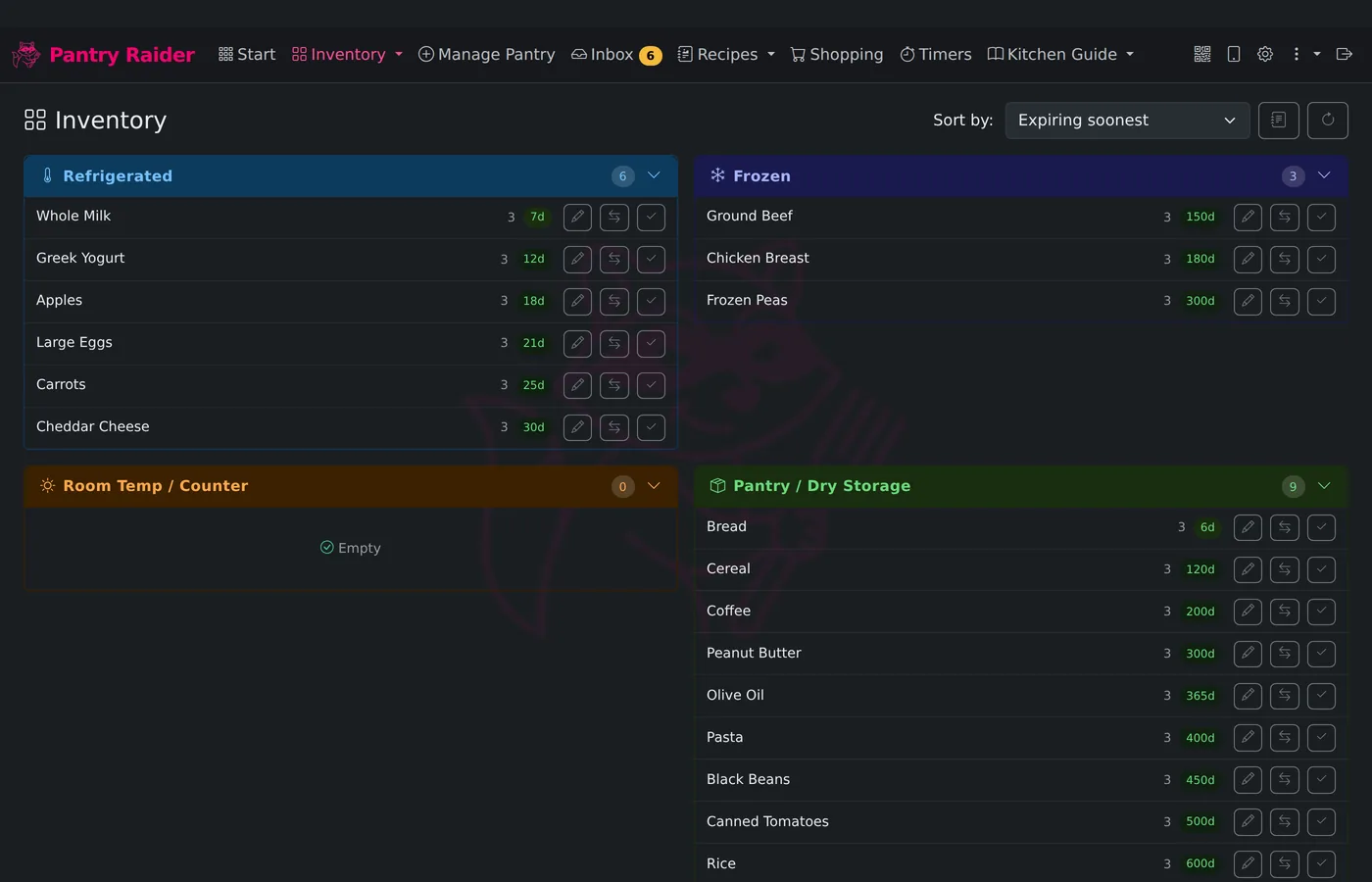
04 / Live on the counter
A kitchen that runs itself
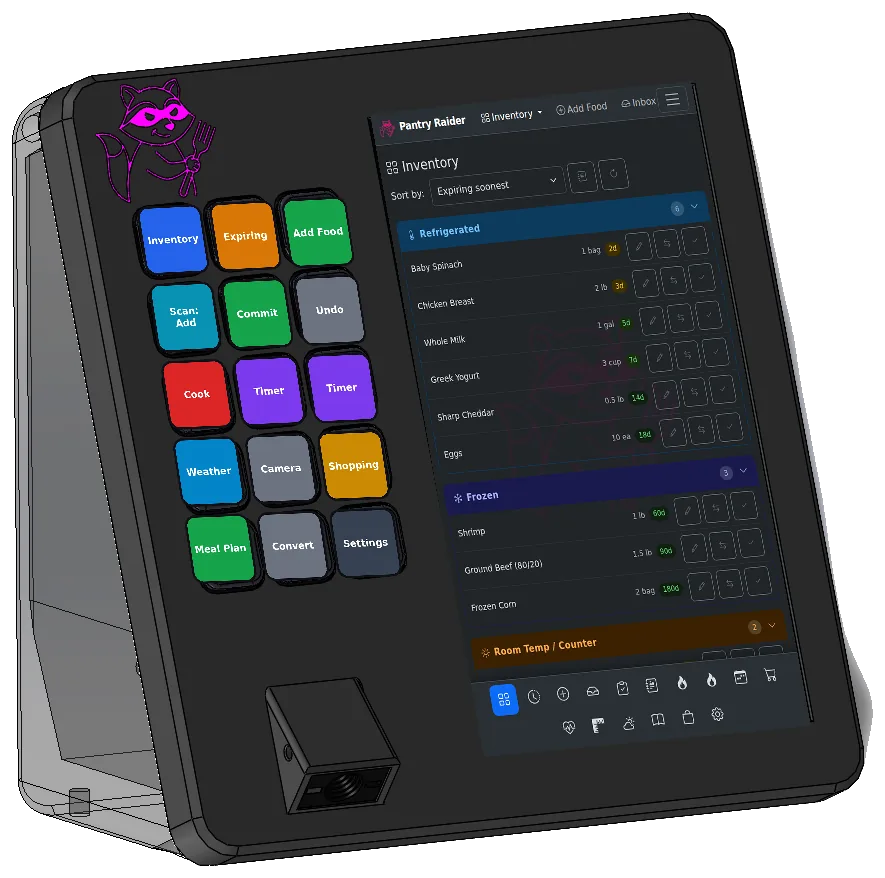
A dark-theme dashboard built for touchscreens, with drag-and-drop moves, a Stream Deck control surface, Bluetooth thermometers, weather, and camera feeds. It runs as a kiosk on a Raspberry Pi that wakes as you walk up, or in any browser.
See the hardwareEverything between the grocery run and the plate
Built on Grocy for rock-solid inventory, with recipes and meal plans built in, and optional AI that you control. Tap any card to see it move.
Runs on open hardware
Build it, or skip the build
Any 64-bit Linux box with Docker, or a Raspberry Pi appliance from off-the-shelf parts: a Pi 5 or 4B, a touchscreen, a USB scanner, and a Stream Deck. The one-command installer detects what is attached and sets up the kiosk. Or skip the build with the Bandit, a pre-built appliance you can tear down in 3D.
How the fleet fits together
One self-hosted server is the brain; Bandits, Cubs, your phone, and Home Assistant all follow it. Nothing leaves your network unless you add the optional cloud.
🦝 Pantry Raider server
Docker on a NAS or mini PC, or a Raspberry Pi appliance. Holds the inventory, the recipes, and every rule about what each screen shows.
🖥️ Bandit
The kitchen kiosk satellite: touchscreen, Stream Deck, barcode scanner. Pulls its config from the server and stays in step.
🐾 Bandit Cubs
Little ESP32 screens for the counter, the fridge door, or stove-side. They glance-cast what matters: expiring food, timers, probe temps.
📱 Your phone
The full app in any browser. Point the camera at a barcode and it scans, right from the couch or the store.
🏠 Home Assistant
A real integration: live counts and probe sensors, notifications and camera pop-ups on any kitchen screen.
🌡️ Bluetooth thermometers
Meat and grill probes read by the Bandit's radio (or through Home Assistant), alerting the moment the roast is done.
🏷️ Label printer
Best-by labels in your own design, printed from any device — a printer on one screen is shared to all.
☁️ Forager cloud
Strictly optional: remote access from anywhere, community recipes, pooled AI. Your install never depends on it.
Up and running in one command
Docker Compose on any server or NAS, a Home Assistant add-on, or a dedicated Raspberry Pi kitchen appliance.